

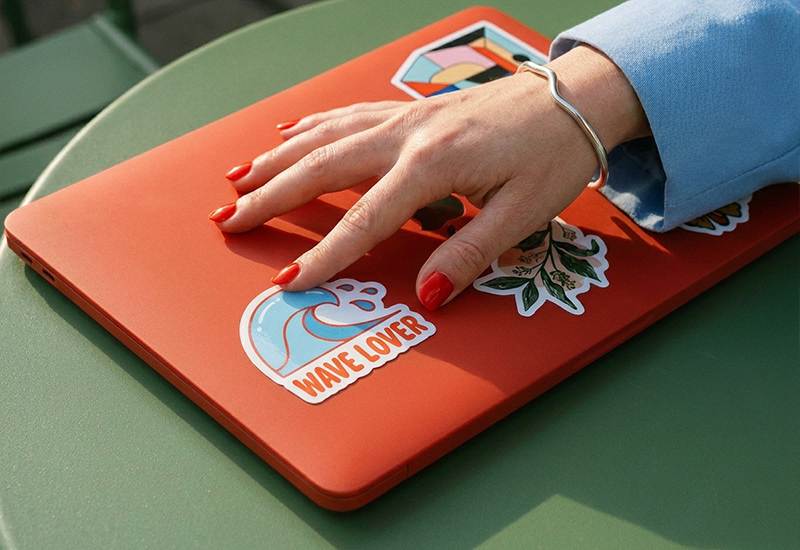
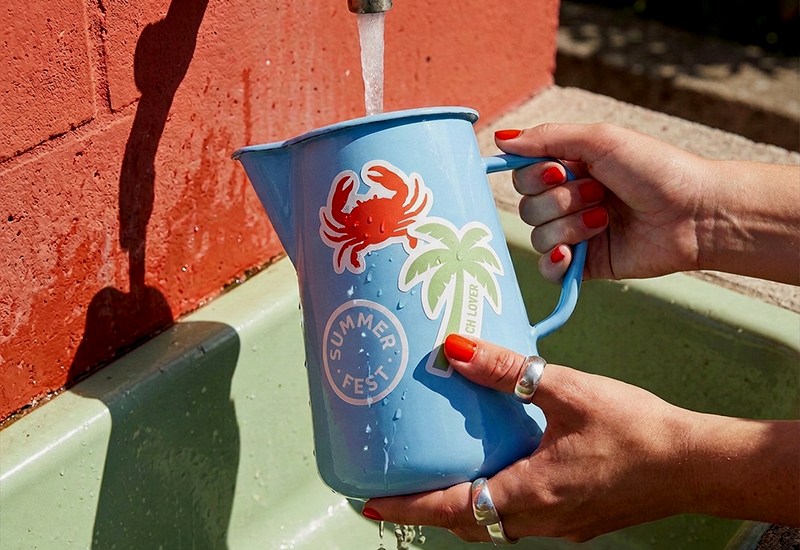
A die-cut sticker is a sticker cut to the exact outline of its design, rather than a standard shape like a square or circle. There’s no extra border or backing around it — just the shape you designed, ready to peel and apply.
It’s one of the most common formats in the world of die-cut stickers, and also one of the most misunderstood — mostly because the term gets used loosely to describe anything with an interesting shape. Here’s what actually defines one.
How a Die-Cut Sticker Is Made
The name comes from the die: a precision blade shaped to match the outline of the artwork. During production, this blade cuts straight through every layer of the sticker — the printed vinyl and the backing paper beneath it — following the contour of the design exactly.
That full-depth cut is what separates die-cut from other formats. Because the cut goes all the way through, each sticker comes out as a fully separated, individual piece rather than staying attached to a larger sheet or strip.
Key Characteristics
A few things consistently define a die-cut sticker, regardless of who prints it:
- The edge follows the design exactly. There’s no visible white border or extra material around the shape — the cut line is the design’s own outline.
- It’s a single, separated piece. Once cut, nothing holds it to a sheet or backing; it’s ready to peel and apply on its own.
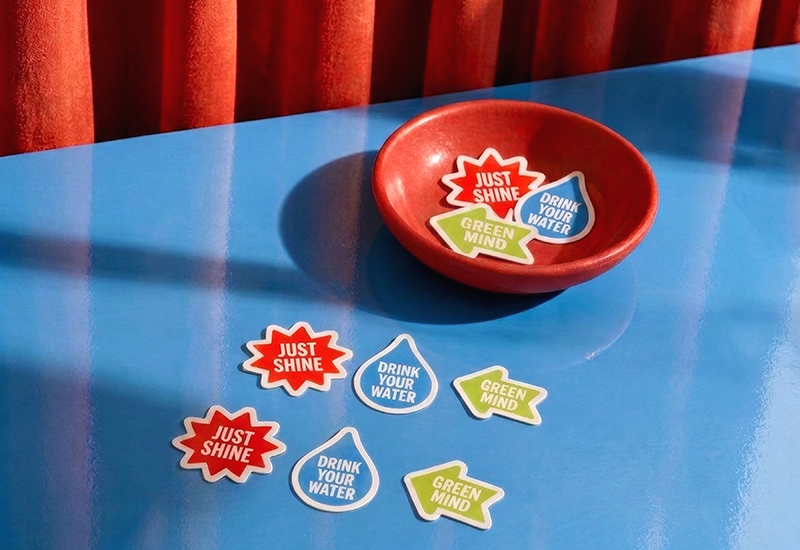
- It can be any shape. Circles and rectangles work, but so does a logo silhouette, an illustrated character, or any custom outline — the die is made to match your artwork, not the other way around.
- It’s typically printed on durable material. Vinyl is the standard choice, which is what gives die-cut stickers their usual waterproof, UV- and scratch-resistant qualities for both indoor and outdoor use.
Die-Cut vs. Other Cuts, Briefly
Die-cut isn’t the only way to cut a sticker. The other common method is kiss-cut, where the blade cuts through the top material but not the backing — leaving the piece attached to a continuous strip rather than separated. This is the standard for labels applied in sequence, like roll labels used on packaging and products.
If you’re weighing which one fits your project — a standalone piece versus a continuous roll — the choice usually comes down to how the sticker or label will actually be used and applied.
Design and File Requirements for a Die-Cut Sticker
Because the cut line follows your artwork so closely, the file itself needs a bit more care than a standard shape would.
- Use a transparent background. The system needs to know exactly where your design ends in order to generate an accurate cut line — a transparent background makes that boundary clear, especially with light or pastel edges.
- Include bleed around your custom outline. A small margin beyond the intended cut line (2mm is a common standard) prevents thin white slivers from appearing if the cut shifts slightly during production.
- Match detail to size. Fine lines, small text or intricate elements can get lost — or cut through entirely — if the sticker is too small. If your design is detailed, size up.
- Keep the cut line simple where you can. Extremely intricate outlines with sharp inward points are harder to cut cleanly and more prone to lifting at the edges once applied.
Common Uses
Die-cut stickers show up anywhere a standalone, shaped piece makes sense: branding and logos, packaging inserts, event giveaways, and promotional merchandise are the most frequent. Because each one is a finished object on its own, they’re especially well suited to anything meant to be handed out, sold individually, or peeled and applied by someone other than the person who printed it.
FAQ
Is a die-cut sticker the same as a custom shape sticker? Largely yes — “custom shape” usually just describes the outline, while “die-cut” describes how it’s cut. In practice, most custom shape stickers are die-cut.
Do die-cut stickers cost more than standard shapes? Not necessarily. Pricing is typically driven by size, material and quantity rather than the complexity of the cut line itself.
What file format works best for a die-cut sticker? A high-resolution file with a transparent background and adequate bleed around the design — vector formats hold up especially well for cutline accuracy.
Can any design be made into a die-cut sticker? Almost any design works, though very fine details or extremely intricate outlines may need slight simplification to cut and apply cleanly.
Ready to turn your design into one? You can create a fully custom cut, choose your material and set your quantity through Pixartprinting’s labels and stickers catalog.