
20% off on your first order: use the promocode WELCOME
Custom Brochure Printing for Events and Promotions
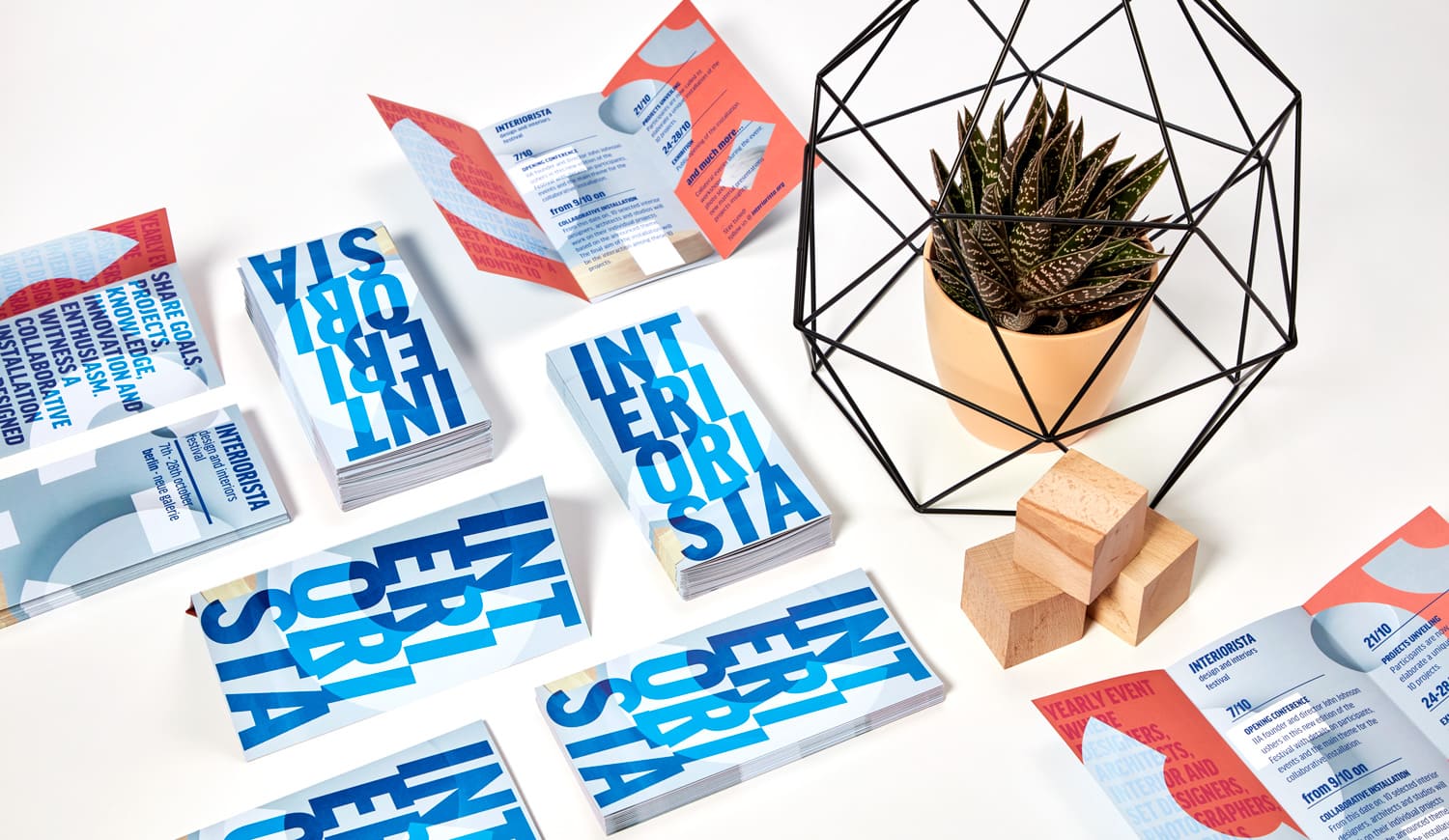
A brochure is the perfect tool for presenting information with style and clarity. Whether it’s a fact sheet, price list, event program, or company profile, brochures offer a structured, visually engaging way to communicate. Customize the number of pages, fold style, and size to create a design that fits your needs—whether simple, sleek, or highly detailed.
High-Quality Custom Brochure Printing for Your Business
Looking for a clear and professional way to present your business, services, products, or event? With Pixartprinting's brochure printing service, you can create folded marketing materials designed around your message and visual identity. Custom brochures are ideal for company presentations, service lists, menus, event programs, promotional campaigns, product overviews, price lists, and other information that benefits from being divided into easy-to-read panels.
Customize your brochures by choosing the fold style, size, paper, printed sides, and quantity that best suit your project. Orders start from just 25 copies, making brochure printing suitable for both small print runs and larger distribution campaigns. You can upload your own print-ready artwork or create your layout online using Pixartprinting's free editor.
Whether you need a compact brochure to hand out at an event or a larger folded format with more room for images and information, Pixartprinting gives you several options to create professional marketing materials that reflect your brand.
Brochure Printing Options: Half Fold, Letter Fold and Z-Fold
The way a brochure folds determines how readers move through its content. Pixartprinting offers three practical folding options for custom brochure printing: Half Fold, Letter Fold, and Z-Fold. Each format provides a different panel structure, so you can select the one that works best with the amount and type of information you want to communicate.
- Half Fold: the sheet is folded once to create four panels. Available sizes are 8.5'' x 11'', 9'' x 8'', 9'' x 16'', and 11'' x 17''. This straightforward format works well for company presentations, menus, service lists, event information, and designs that benefit from larger panels.
- Letter Fold: the sheet is divided into three sections that fold inward. Available sizes are 8.5'' x 11'' and 8.5'' x 14''. It is a familiar and practical choice for promotional brochures, direct marketing materials, business information, and step-by-step content.
- Z-Fold: the sheet folds back and forth to create six panels in a Z-shaped structure. It is available in 8.5'' x 11'' and works especially well for information that should be presented in sequence, such as schedules, instructions, service overviews, or product ranges.
You can also choose whether your brochure is printed on the front only or on the front and back. Double-sided printing gives you more space to organize information across the available panels, while front-only printing may be suitable for simpler projects.
Brochure Printing Paper: Choose the Right Stock
Paper has a major influence on both the appearance and feel of a printed brochure. The best brochure printing paper depends on your design, the amount of text and photography, and the impression you want your marketing materials to create. Pixartprinting offers matte and glossy paper options in different thicknesses so you can match the stock to your content.
- 5pt Matte has a smooth, shine-free surface that keeps text easy to read and gives brochures a clean, understated appearance. It is particularly suitable for layouts containing longer sections of copy, charts, service descriptions, or other information where readability is important.
- 5pt Glossy has a smooth, reflective surface designed to enhance photographs, graphics, and colors. This option is well suited to image-led promotional brochures, product presentations, hospitality materials, and other designs where strong visual impact is a priority.
- 9.5pt Premium Matte provides a thicker feel while maintaining the smooth, non-reflective appearance of matte paper. It is a useful option for businesses looking for a more substantial brochure while keeping text and detailed graphic elements clear and easy to view.
- 9pt Premium Glossy combines a thicker paper with a glossy surface that emphasizes color, contrast, and photography. It works particularly well for visually rich custom brochures featuring products, venues, food, events, artwork, or branded imagery.
When choosing between matte and glossy paper, consider the balance between written and visual content. Matte stocks can be effective for text-heavy layouts, while glossy stocks can help photos and saturated colors appear more prominent.
Professional Brochure Printing Service Online
Pixartprinting's online brochure printing service is designed to let you configure your product and place your order in one streamlined process. Start by choosing your fold style, then select the corresponding size, paper type, printing sides, and quantity. The available combinations and price are displayed directly during configuration, helping you compare the options before completing your purchase.
Once you have selected your specifications, you can upload your artwork and proceed with your order online. Because different projects require different quantities, you can start from as few as 25 custom brochures and increase the run according to your distribution needs.
This makes the service suitable for a wide range of situations: a small batch for an upcoming event, brochures for sales appointments, promotional material for a new business, information for a trade show, or a larger quantity for recurring customer communications.
How Much Does It Cost to Print a Brochure?
The cost of brochure printing depends on the specifications you select rather than on a single fixed price. Factors such as the fold style, brochure size, paper stock, printed sides, and quantity all contribute to the final cost of your order.
To find the price for your project, select the options you need in the online configurator and take a look at the price grid. The pricing information updates according to your chosen configuration, allowing you to compare quantities and specifications before ordering. This is particularly useful when planning a marketing campaign, as you can evaluate different combinations and identify the configuration that fits both your communication requirements and budget.
How to Order Custom Brochures Online
Ordering custom brochures with Pixartprinting is straightforward. Begin by choosing between Half Fold, Letter Fold, and Z-Fold. Select one of the sizes available for that folding option, followed by your preferred paper stock and whether you want printing on the front only or on both the front and back.
Next, choose the quantity you need, starting from 25 copies, and check the pricing displayed for your configuration. Once your product specifications are complete, upload your print file or use the online design tools available on the website.
Before placing the order, make sure the artwork is prepared for the selected fold. Text, logos, and other important elements should be positioned carefully within the correct panels so they are easy to read once the brochure has been folded.
Brochure Design: Organize Your Content Around the Fold
Effective brochure design starts with the structure of the printed piece. Unlike a flat flyer, a folded brochure reveals information panel by panel. This gives you the opportunity to organize the content into a clear sequence and guide the reader through your message.
Begin by deciding what the reader should see first. The front panel can feature your main headline, logo, image, or value proposition. Interior panels can then be used for supporting information such as product details, services, benefits, pricing, schedules, maps, or contact information. The final panel can include a call to action, website, contact details, or other information that helps the reader take the next step.
When designing a Half Fold brochure, you have four relatively large panels, making this format suitable for layouts with prominent photography or substantial blocks of information. Letter Fold and Z-Fold brochures provide six panels, allowing content to be separated into smaller sections.
For a Letter Fold design, remember that the panels fold into one another, so the reading sequence and panel dimensions should be taken into account when preparing the artwork. A Z-Fold opens in an accordion-like sequence, making it particularly useful when each section represents a separate step, product, feature, or topic.
Keep typography consistent, use clear visual hierarchy, and avoid placing important text too close to folds or trim areas. These simple choices can make your custom brochures easier to navigate and help maintain a professional visual identity.
Design Custom Brochures with the Free Online Editor
If you do not already have a finished print file, Pixartprinting's free online editor provides another way to create your brochure directly from your browser. You can add and arrange text, images, logos, colors, and other graphic elements to build a design suited to your business or campaign.
The editor can be useful for businesses that need to create promotional materials without starting from a complete print-ready layout. Keep your brand colors, typography, imagery, and messaging consistent throughout the panels so the finished brochure forms part of a recognizable visual identity.
Custom Z-Fold Brochure Printing
A Z-Fold brochure provides six separate panels arranged in an accordion-style structure. The 8.5'' x 11'' format gives you room to divide your content into distinct sections while still producing a compact folded marketing piece.
Z-Fold brochures can be particularly effective for schedules, step-by-step information, maps, service packages, product collections, and other content with a natural sequence. Because each panel can function as an individual section, the format makes it easy to separate topics without requiring a bound publication.
Custom Half Fold Brochure Printing
Half Fold brochures offer a simple four-panel structure and are available in 8.5'' x 11'', 9'' x 8'', 9'' x 16'', and 11'' x 17'' sizes. With fewer and generally larger panels than a three-section fold, this format gives images, headlines, and blocks of text more room to breathe.
Consider Half Fold custom brochures for restaurant menus, company profiles, event information, product presentations, sales materials, or service overviews. The straightforward opening format also makes it easy for readers to understand how the content is organized.
Custom Letter Fold Brochure Printing
Letter Fold brochures are available in 8.5'' x 11'' and 8.5'' x 14''. The three-section construction creates six panels and is widely suited to compact business and promotional communication.
You can use a Letter Fold brochure to introduce a company, highlight several services, explain an offer, present event details, or organize information into clearly separated sections. You can also explore Pixartprinting's Tri-Fold Brochures page for more information about this style of folded communication.
Brochures vs Flyers vs Booklets: Which Should You Choose?
Brochures, flyers, and booklets can all support marketing and business communication, but their structures make them suitable for different types of content.
- Brochures are single sheets that are folded into multiple panels. They are useful when you want more structure than a flat sheet but do not need a multi-page publication. Choose custom brochure printing for service menus, event programs, company introductions, product ranges, instructions, or promotional information that can be organized across four or six panels.
- Flyers are flat printed sheets without folds. They work well for concise messages, promotions, event announcements, handouts, and campaigns where the main information should be visible immediately rather than revealed panel by panel.
- Booklets are multi-page printed products with binding. They provide substantially more space for content and are a better fit for longer publications such as detailed product catalogs, manuals, programs, company reports, portfolios, or other projects that require multiple pages. Pixartprinting's booklet range includes binding solutions such as saddle stitch and perfect binding.
In simple terms, choose a flyer when a single flat page is enough, a brochure when you want a folded and structured presentation, and a booklet when the amount of content requires multiple bound pages.
Custom Brochure Printing from 25 Copies
You do not need to order thousands of pieces to use professional brochure printing. Pixartprinting allows you to start from 25 copies, giving businesses greater flexibility when planning local promotions, events, sales presentations, limited campaigns, or initial print runs.
Smaller quantities can also be useful when content changes frequently. For example, you may need brochures for a seasonal offer, a temporary menu, a specific event, a trade show, or a product launch. When you need more copies, you can select a larger quantity directly in the configurator.
Print Custom Brochures with Pixartprinting
With Pixartprinting, you can configure custom brochures around the needs of your project. Choose Half Fold, Letter Fold, or Z-Fold; select from the available US sizes; compare matte and glossy paper stocks; decide between front-only and front-and-back printing; and order from as few as 25 copies.
Use your own artwork or create your layout with the free online editor, then check the available pricing directly through the configurator. From business presentations and event materials to product information and promotional campaigns, professional custom brochure printing gives you a versatile way to organize your message in a compact printed format.
Related Printed Marketing Materials
Brochures can also be combined with other printed marketing materials as part of a coordinated marketing campaign. Explore custom Flyers for flat promotional handouts, Booklet Printing for bound multi-page publications, or Custom Folders for organizing and presenting printed documents and sales materials.