



Using Backgrounds and Text to Craft Captivating Instagram Stories
Instagram Stories have become an essential feature for users on the platform, allowing them to share real-time photos and videos that capture everyday moments. According to Meta, Instagram’s parent company, over 500 million accounts interact with Stories daily.
This feature isn’t just popular among individual users — it’s also a powerful tool for brands and professionals looking to promote their products, share updates, or connect with their audience. In fact, a Buffer survey found that one in three users became more interested in a product after seeing it featured in a brand’s Story.
To succeed on such a highly visual platform, it’s essential to create eye-catching, high-quality content using both Instagram’s native tools and external apps. In this article, we’ll explore creative ways to use lettering, color, and backgrounds to design unique and engaging Stories that grab attention and boost interaction.
1.Embellishing with Lettering
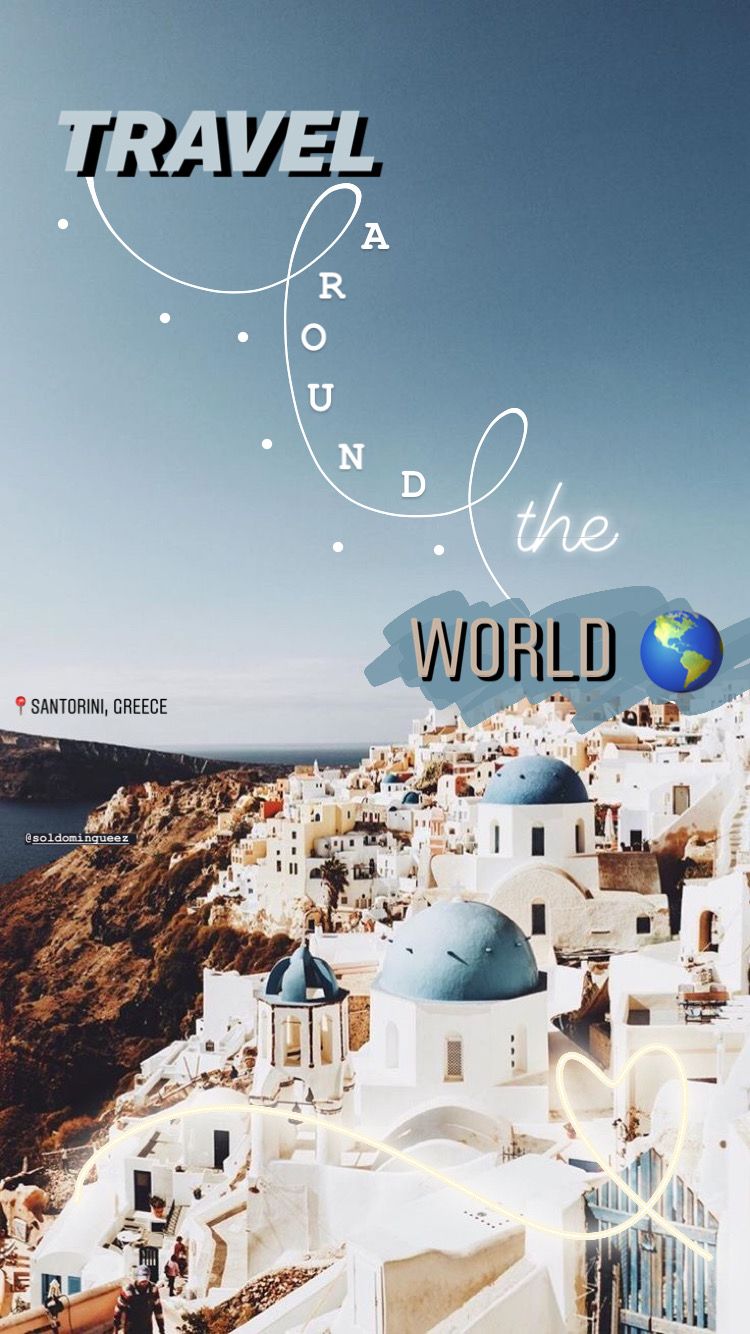
Give your Story a dynamic twist by arranging single letters or words in creative ways within your photo or video. This technique can add energy, highlight a keyword, or draw the viewer’s eye to a specific detail.
To try it, open the Instagram text tool (the “Aa” icon at the top of your Story screen) and type each letter or word separately. Then move and resize them to build a more engaging layout — whether it’s a bold title or a playful message overlay.

2.Incorporating Animated Text
Adding animated text is a simple yet effective way to make your Stories more dynamic. After selecting your photo or video, tap the text tool and choose the animated text icon — it looks like an “A” with two dotted lines.
From there, pick a font style from the options at the bottom of the screen and start typing your message. Animated text helps guide your viewer’s attention, making key details or calls-to-action stand out — perfect for promotions, announcements, or creative reveals.
3.Utilizing Handwritten Text
Want to add a more personal, authentic touch to your Stories? Use Instagram’s Draw feature, found in the top-right corner of the Story editor, to write directly on your photo or video.
Handwritten words or doodles can make your content feel warmer and more organic — ideal for behind-the-scenes moments, casual updates, or sharing quotes that resonate with your audience.
4.Mixing or Layering Fonts
Don’t limit yourself to Instagram’s default fonts — explore combinations to give your Stories more personality and depth. Mixing typefaces can create contrast, while layering the same text in different colors produces a subtle shadow effect that adds dimension.
You can also experiment with third-party apps that offer extended font libraries for Instagram Stories, giving you more creative freedom to match your brand or aesthetic.

5.Creating Multicolored Lettering
Add a splash of color to your Stories with rainbow or multicolored text. This effect instantly makes your content more vibrant and attention-grabbing — perfect for playful, creative, or promotional posts.
To achieve it, type each letter separately in the Instagram text editor and assign a different color to each one. For a cohesive result, pick shades that match the tones of your image or video so the design feels intentional rather than random.
6.Adding Textual Backgrounds
Text-based backgrounds are a simple yet powerful way to make your message stand out in a Story. To create this effect, type a short phrase or sentence using the text tool, then copy and paste it multiple times to fill the background.
You can adjust spacing, alignment, or opacity to achieve different visual effects — from a clean, minimalist pattern to a bold, high-energy texture. This works especially well for highlighting key words, campaign slogans, or short quotes.
7.Designing Photo Collages
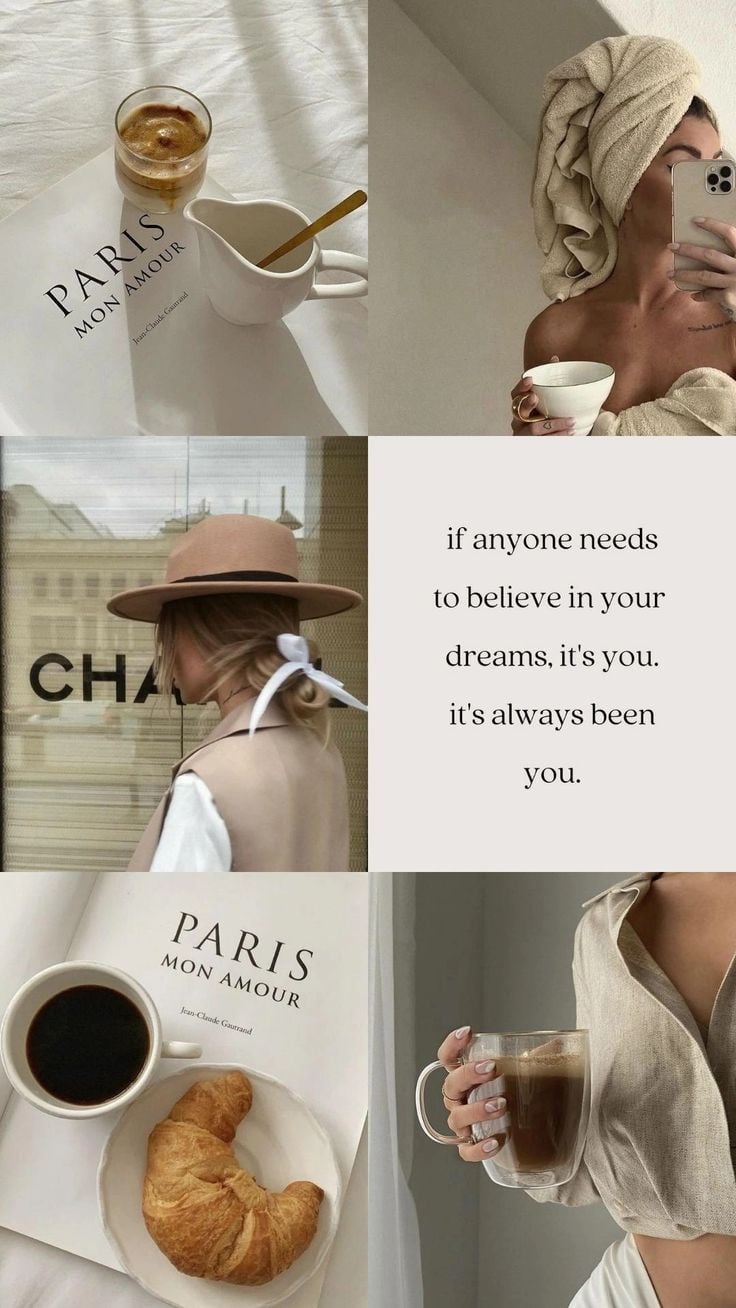
Photo collages are a great way to tell a story or show multiple perspectives in a single frame. Instagram’s built-in Layout feature lets you combine several photos into one cohesive Story.
To use it, open the Story editor, select Camera, then swipe through the Layout options. Pick your favorite grid template and either take new photos or upload images from your gallery. You can also mix close-ups, wide shots, and text overlays to create a visually engaging composition.
8.Using Partially Erased Photos
This creative trick is perfect for building suspense or teasing a new product launch in your Stories. Start by uploading a photo, then use the Draw tool to cover it completely with a solid color.
Next, select the Eraser tool and gently remove parts of the colored layer to reveal hints of what’s underneath — like a logo, an object, or a word. This technique sparks curiosity and encourages your followers to stay tuned for the full reveal.
9.Implementing Semi-Transparent Backgrounds
Semi-transparent overlays are a smart way to make text stand out without overpowering your image. After uploading your photo, open the Draw tool, choose a color (white works great), and apply it over the image until it becomes softly transparent.
Then, add your text on top — quotes, captions, or key messages will appear crisp and easy to read while keeping the background visible. This technique gives your Stories a polished, professional look, especially useful for announcements or product highlights.

10.Adding Graphic Elements
Bring your Stories to life by combining static and animated graphics. Use Instagram’s Draw tool to sketch shapes or borders, or explore the GIF library to add fun, dynamic visuals that enhance your message.
Graphic elements can help you emphasize key details, such as product features or calls to action, while also maintaining a playful and modern aesthetic. For best results, match the graphic style with your brand’s colors and tone.
11.Applying Filters and Visual Effects
Filters and visual effects can completely transform the mood of your Stories. Instagram offers an extensive range of options to personalize your photos and videos — from subtle color corrections to bold, creative effects.
Enter Story mode, then swipe through the effects carousel beside the capture button to test filters in real time. You can also explore hundreds of user-created filters by tapping “Browse Effects”, where you’ll find trending looks and experimental styles for every aesthetic.
Using filters strategically helps create a consistent visual identity — one that reflects your brand’s tone, mood, and message.
🎥 Example: Boomerang videos with SlowMo, Duo, and Echo effects.
Example of Boomerang video with SlowMo, Duo, and Echo effects.
12. Utilizing External Apps and Websites
Beyond Instagram’s built-in tools, many third-party apps can elevate your Story design and help you stand out from the crowd.
Here are a few favorites among creators:
- Unfold — perfect for crafting minimalist, elegant Stories with ready-made layouts and fonts.
- Mojo — ideal for adding smooth animations and transitions to video Stories.
- Canva — a go-to platform for effortless photo and video editing, offering countless templates sized for Instagram.
- InShot — great for editing videos and adapting them to Instagram’s Story format.
Each tool offers unique templates and customization options, letting you design professional-quality Stories — even without advanced design skills.
✨ Tip: Plan your Stories in advance to keep your content varied and visually engaging. A thoughtful mix of photos, videos, and text-based posts helps sustain audience attention and strengthen your brand presence.