
20% off on your first order: use the promocode WELCOME
Z-Fold Brochures
Z-fold brochures are the perfect canvas for showcasing products, guiding customers, or delivering impactful marketing messages. With their unique unfolding design, they maximize space while maintaining a sleek, professional look. Customize the size, fold, and finish to match your vision, and create a brochure that stands out.

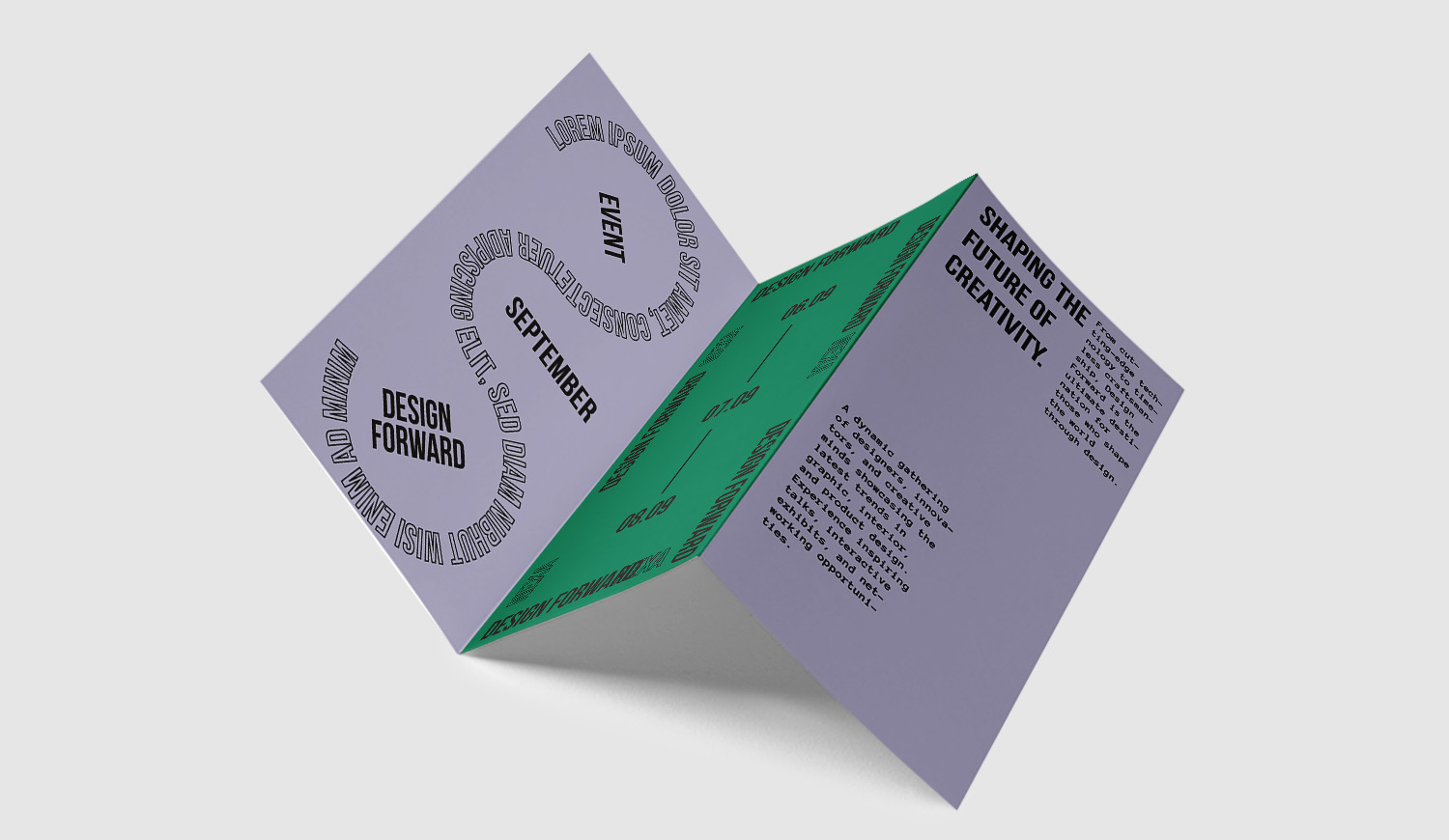
Custom Z-Fold Brochures for Business, Events and Marketing
Z-fold brochures are a practical way to organize information across multiple panels while keeping the finished piece compact and easy to distribute. Their accordion-style fold works well for product overviews, service guides, event schedules, price lists, menus, company presentations, step-by-step instructions, and promotional campaigns. With Pixartprinting, you can order custom Z-fold brochures online starting from just 25 copies.
Each brochure is printed in an 8.5" x 11" format and can be printed on the front only or on both the front and back. Front-and-back printing gives you more room to divide information across the panels, while front-only printing is useful for simpler layouts and visual communication.
What Does Z-Fold Brochure Mean?
A Z-fold brochure is a sheet divided into three panels and folded in alternating directions so that, when viewed from the edge, it resembles the letter “Z.” Unlike a letter fold, where one panel folds inside another, a Z-fold opens in an accordion-like sequence. This structure allows each panel to work as a separate section while remaining part of one continuous piece.
This makes Z-fold brochures particularly useful when information follows an order or progression. You can dedicate one panel to an introduction, another to products or services, and the remaining panels to specifications, schedules, contact details, maps, QR codes, or calls to action.
Z-Fold Brochure Size: 8.5" x 11"
Pixartprinting's Z-fold brochures are available in an 8.5" x 11" format. This familiar letter-size sheet provides space for text, photos, illustrations, charts, product information, and branded graphics while remaining easy to handle and distribute once folded.
When preparing your artwork, remember that the sheet is divided into three panels. Build the layout around the fold lines so headings, logos, images, and important text are positioned correctly. Before uploading your file, check the product template and artwork requirements for dimensions, bleed, and safe areas.
5pt Glossy Paper for Z-Fold Brochures
Your Z-fold brochures are printed on 5pt Glossy paper, a high-gloss, reflective stock designed to make colors stand out and photographs appear bright and vibrant. Its smooth surface enhances detail and contrast for a crisp, professional finish.
This paper is especially suitable for image-led brochures such as product presentations, menus, event materials, portfolios, promotional offers, and marketing collateral. When designing for a glossy surface, balance photography and graphic elements with concise text so each panel remains clear and easy to scan.
Front-Only or Front-and-Back Printing
You can choose front-only printing or front-and-back printing depending on how much information you need to include. Front-only printing works well for simpler layouts, while printing on both sides lets you use the brochure's panel structure more fully.
With double-sided printing, the different panel areas can form a connected sequence: for example, a cover panel can introduce your message, the inside sections can present products or services, and the remaining space can contain contact details, opening hours, a QR code, or a final call to action.
How to Z-Fold a Brochure
To create a Z-fold, divide the sheet into three panels and fold the sections in opposite directions. Fold one outer panel toward the center, then fold the remaining outer panel in the opposite direction. The two parallel folds produce the characteristic accordion shape.
For professional printing, prepare your artwork according to the Z-fold layout rather than folding the brochure yourself. Pay close attention to the order in which panels appear when the piece is folded and unfolded. Identifying the cover, back panel, and internal sections before designing can help you build a clearer reading sequence.
How to Order Z-Fold Brochures with Pixartprinting
Ordering Z-fold brochures with Pixartprinting is simple. Configure the product online, select the quantity and printed sides, review the price, and upload your print-ready artwork.
- Choose your quantity: orders start from 25 copies.
- Select the printed sides: choose front only or front and back.
- Review the specifications: confirm the 8.5" x 11" format and 5pt Glossy paper.
- Check the price: use the price grid or configurator to view the current price for your selected quantity and options.
- Upload your artwork: submit your print-ready file according to the file preparation requirements.
- Complete the order: review the final configuration, delivery information, and price before checkout.
Z-Fold Brochures From 25 Copies
You can order custom Z-fold brochures from just 25 copies. This starting quantity is useful for a single event, a sales presentation, a limited promotion, a local campaign, or a test run before ordering more. It also gives businesses the flexibility to update information without committing immediately to a very large print quantity.
If you need more copies, increase the quantity in the product configuration and compare the prices shown in the grid to choose the option that best fits your project.
What Are the Different Types of Brochures?
Brochures can use different folds and formats depending on the content, layout, and way they will be distributed. Common options include:
- Z-Fold Brochures: three panels folded in alternating directions, ideal for step-by-step information, schedules, service descriptions, and content with a clear sequence.
- Tri-Fold Brochures – A classic three-panel format for business presentations, menus, promotions, event information, and service overviews.
- Brochures – Explore additional brochure printing and folding options for different marketing needs.
Z-Fold Brochures and Related Printed Products
If you are preparing an event, launching a product, creating a sales kit, or updating your marketing materials, you can combine Z-fold brochures with other printed products:
- Tri-Fold Brochures – A three-panel alternative with a different folding sequence.
- Brochures – Discover other brochure formats and folding options.
- Flyers – Suitable for concise promotions, announcements, event handouts, and high-visibility messages.
- Booklets – A useful choice when you need more pages and space than a folded brochure provides.
For compact communication across clearly defined panels, custom Z-fold brochures offer a flexible format for business, promotional, and event-based content. Configure your order with Pixartprinting, choose the quantity you need starting from 25 copies, prepare your artwork for the Z-fold layout, and review the current pricing directly on the product page before ordering.