
20% off on your first order: use the promocode WELCOME
Tri-Fold Brochures
Tri-fold brochures are a versatile and engaging way to present your brand, products, or services with clarity and impact. With three panels of space, they offer a structured, easy-to-navigate layout—perfect for menus, marketing materials, event guides, and more. Choose the size, fold, and finish that best fit your vision, and create a brochure that captivates your audience.
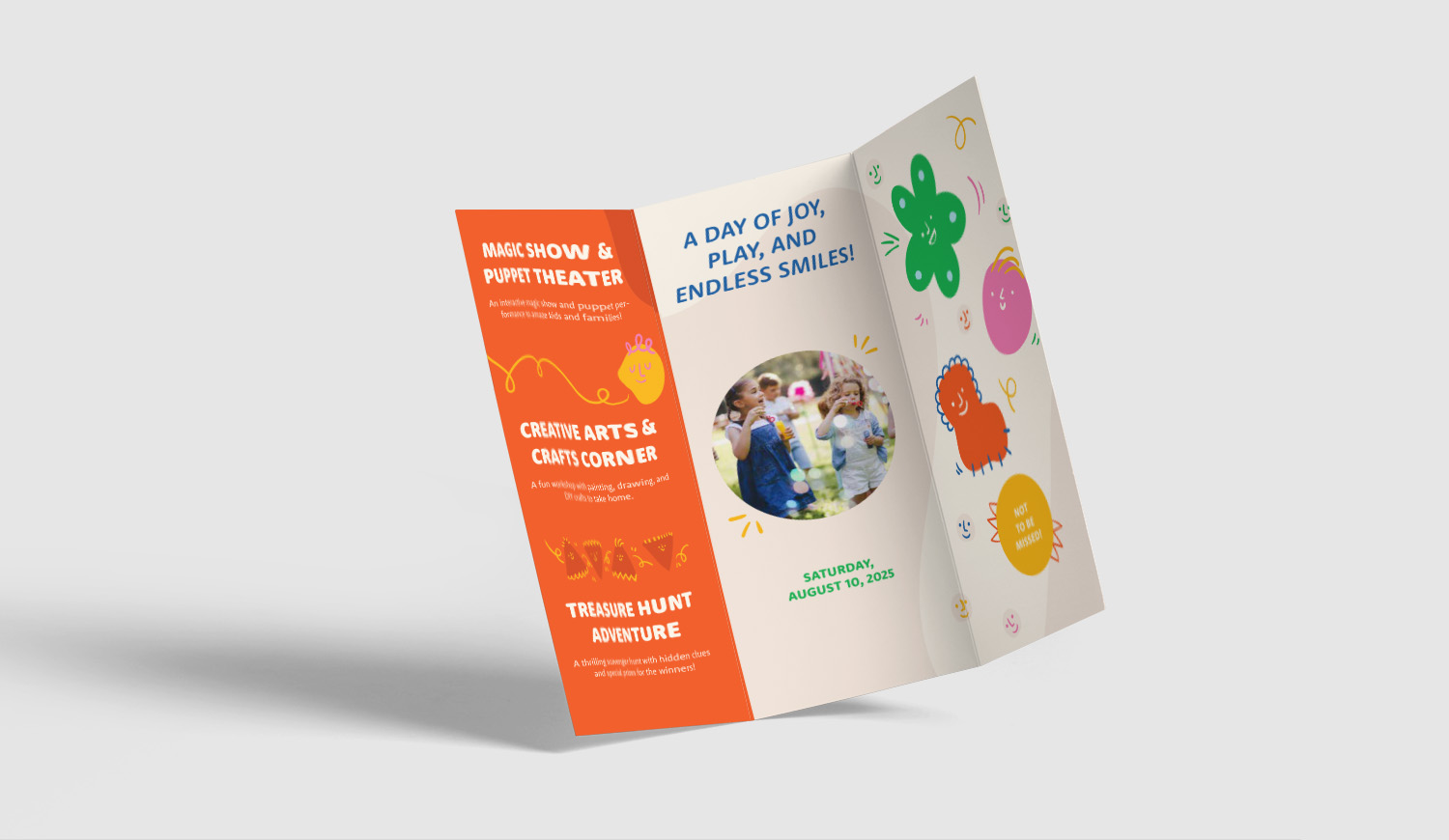
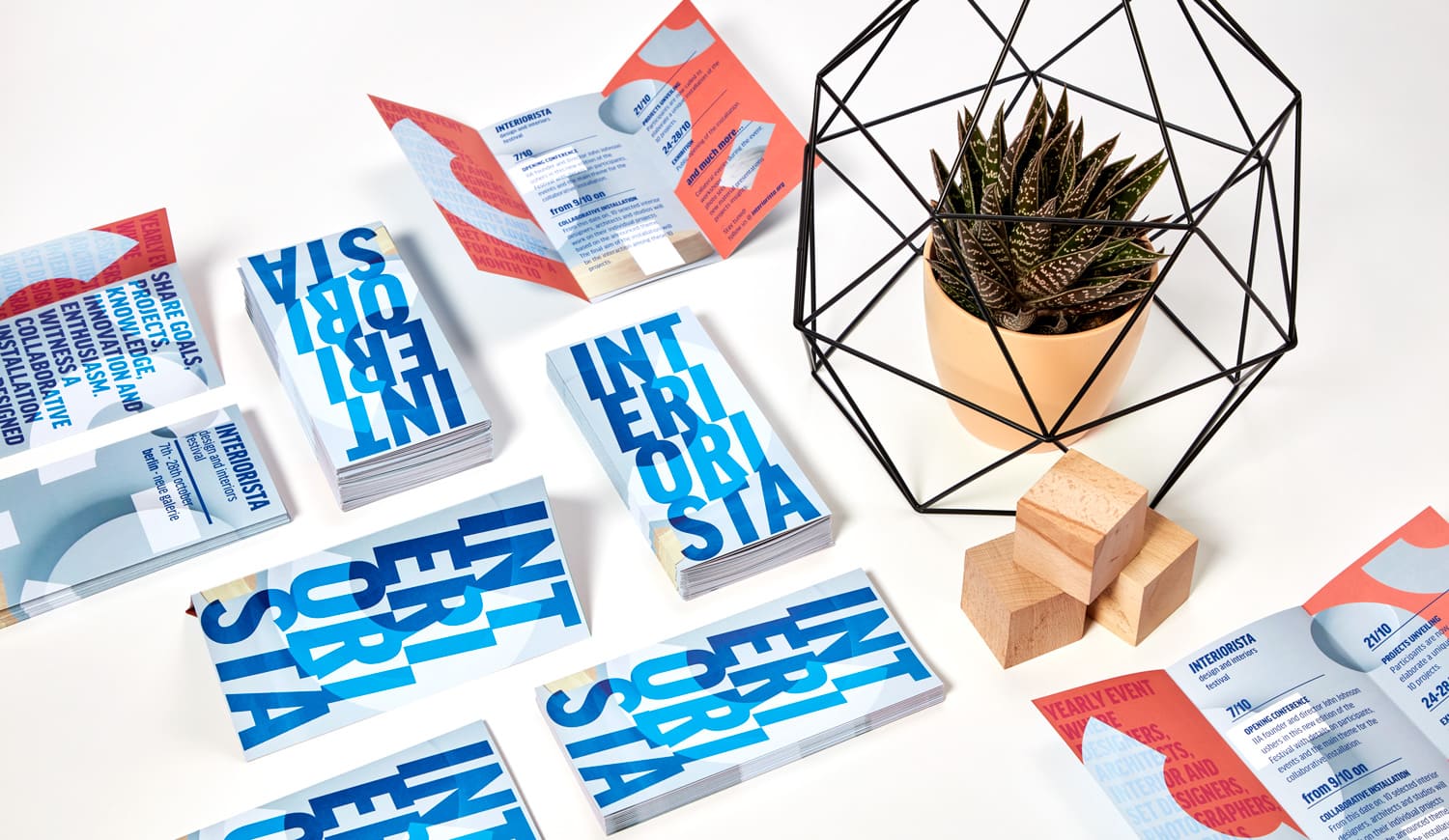
Custom Printed Tri-Fold Brochures for Business & Events
Tri-fold brochures are a practical way to organize a large amount of information in a compact, easy-to-distribute format. With multiple panels available for text, images, offers, contact details, maps, schedules, or product information, they work well for company profiles, service overviews, price lists, event programs, menus, handouts, and promotional campaigns. With Pixartprinting, you can print custom tri-fold brochures starting from just 25 copies and configure the format, paper, printed sides, and fold to match your project.
Choose between Letter Fold and Z-Fold configurations and select a flat size of 8.5" x 11" or 8.5" x 14" before folding. You can print the front only or both front and back, giving you the flexibility to create anything from a simple promotional handout to a content-rich brochure with information across the full printable area.
Tri-Fold Brochure Formats: Letter Fold and Z-Fold
The way a brochure folds affects how readers move through the content. Pixartprinting offers two folding options for this product: Letter Fold and Z-Fold.
- With a Letter Fold, one panel folds inward and the opposite panel folds over it. This familiar tri-fold format is ideal when you want to guide the reader through a clear sequence, starting with a cover and opening into sections dedicated to services, products, company information, calls to action, or contact details.
- A Z-Fold uses alternating folds to create an accordion-style layout. Each panel remains visually distinct, making this option useful for step-by-step information, multiple services, schedules, maps, comparisons, or content that benefits from a more continuous visual flow.
Both folding styles give you several panels for structuring information while keeping the finished brochure compact and convenient to distribute.
What Is a Good Size for a Tri-Fold Brochure?
The best size for a tri-fold brochure depends on how much information you need to include and how the brochure will be distributed. An 8.5" x 11" brochure is a versatile choice for marketing materials, company introductions, event handouts, price lists, and service brochures. Its familiar proportions provide enough room for text and images while remaining easy to handle and distribute.
For projects that require additional space, the 8.5" x 14" format provides a larger printable area before folding. This can be useful when you need to include more detailed descriptions, larger images, several offers, schedules, or structured information while still keeping the brochure compact after folding.
Remember that these dimensions refer to the sheet before folding. When preparing your artwork, consider how the content will be divided between the individual panels and keep important text, logos, and graphics away from the fold lines.
Tri-Fold Brochure Paper Stock
Paper stock plays an important role in the appearance, feel, and readability of your tri-fold brochures. Pixartprinting offers four paper options, allowing you to choose between matte and glossy surfaces as well as standard and premium stocks:
- 5pt Matte: A smooth, shine-free paper that supports easy readability and clear reproduction of text. It is a practical option for information-heavy brochures, price lists, schedules, and business materials.
- 5pt Glossy: A smooth, reflective paper that enhances color, contrast, and photography. It works particularly well for promotional brochures where images and visual impact play an important role.
- 9.5pt Premium Matte: A thicker matte stock with a smooth, non-reflective finish. It is suitable for company profiles, service brochures, presentations, and designs where readability and a more substantial feel are important.
- 9pt Premium Glossy: A thicker glossy paper designed to emphasize colors, photographs, and contrast. It is a strong option for product presentations, hospitality materials, promotional campaigns, and image-led designs.
Your choice should reflect both the type of content and the impression you want your printed piece to create. Matte paper is particularly effective for text-focused layouts, while glossy stocks can give photographs, illustrations, and colorful graphics greater visual presence.
How Do I Make a Tri-Fold Brochure?
Creating a tri-fold brochure starts with choosing the correct flat size and folding style. Once you have selected your configuration, you can prepare your artwork using the appropriate template for your chosen specifications. Using our template makes it easier to position each panel correctly and account for folds, margins, bleed, and the final reading order.
If you prefer to create your design directly online, you can also use Pixartprinting's free online editor. This provides a convenient way to personalize your brochure without having to prepare the entire print file separately in professional graphic design software.
Before submitting your artwork, decide which panel will be used as the front cover and plan how readers will move through the brochure as they unfold it. If you select front and back printing, consider the relationship between the exterior and interior panels. Keep important text and visual elements away from fold lines and make sure the hierarchy of your content remains clear when the brochure is both folded and fully opened.
How Much Do Tri-Fold Brochures Cost?
The cost of tri-fold brochure printing depends on the configuration you choose, including the quantity, size, paper stock, printed sides, and other available production options. To find the cost of your specific project, check the price grid on this page and use the online configurator to compare the available combinations.
Pixartprinting lets you order tri-fold brochures starting from 25 copies. This makes them suitable for smaller projects such as a specific event, local promotion, test campaign, or limited distribution, as well as larger quantities for broader marketing activities. Select your specifications and desired quantity to see the price associated with your configuration.
How to Order Custom Tri-Fold Brochures Online
Ordering custom tri-fold brochures with Pixartprinting can be completed online in a few simple steps:
- Select your fold: Choose between Letter Fold and Z-Fold.
- Choose your size: Select an 8.5" x 11" or 8.5" x 14" flat format before folding.
- Select the printed sides: Choose front only or front and back depending on how much printable space you need.
- Choose your paper: Select from 5pt Matte, 5pt Glossy, 9.5pt Premium Matte, or 9pt Premium Glossy.
- Create or upload your artwork: Prepare your file using the appropriate template or create your brochure with the free online editor.
- Select your quantity: Order starting from just 25 copies and review the price for your selected configuration.
This flexibility makes tri-fold brochures suitable for both targeted communication and larger marketing campaigns. Whether you need an event guide, company presentation, menu, price list, service overview, or promotional handout, the multi-panel format gives you room to organize information into clearly defined sections.
Tri-Fold Brochures vs Z-Fold Brochures vs Flyers
Tri-fold brochures, Z-fold brochures, and flyers can all be used for marketing and business communication, but each format presents information differently.
- A traditional tri-fold brochure with a Letter Fold is a strong choice when you want a cover-led format in which information is gradually revealed as the brochure is opened. This structure is useful for company profiles, product or service presentations, menus, event programs, and materials that benefit from clearly defined sections.
- Z-Fold Brochures use an accordion-style structure, with panels opening in alternating directions. This layout works particularly well for sequential information, timelines, maps, step-by-step explanations, multiple offers, or designs intended to flow continuously across several panels.
- Flyers are better suited to shorter and more immediate messages that do not require a folded structure. They are a practical option for promotions, announcements, events, special offers, and communications where the main information should be visible at a glance.
The right format depends on the amount of information you want to communicate, the way you want readers to interact with the content, and how the printed material will be distributed.
Why Print Tri-Fold Brochures with Pixartprinting?
With Pixartprinting, you can configure your custom tri-fold brochures around the specific needs of your project. Choose between Letter Fold and Z-Fold, select an 8.5" x 11" or 8.5" x 14" flat size, decide between front-only or front-and-back printing, and select from four matte or glossy paper stocks.
Whether you're creating a compact company presentation, an event program, a price list, a service overview, a menu, or a promotional handout, the multi-panel layout provides enough room to structure your message while keeping the finished brochure practical to distribute. Starting from just 25 copies, you can prepare your artwork with the appropriate template or use the free online editor to create your design before ordering online.
Related Products to Tri-Fold Brochures
Looking for other ways to present or promote your business? Explore these related Pixartprinting products:
- Z-Fold Brochures – An accordion-style folded format ideal for sequential content and multi-panel designs.
- Flyers & Leaflets – A versatile flat format for promotions, events, announcements, and marketing campaigns.
- Business Cards – Compact printed materials for sharing your professional contact information.
- Postcards – Ideal for promotional messages, invitations, and direct communication.
- Custom Folders – Organize documents and printed materials for meetings, sales presentations, and business communications.