
20% off on your first order: use the promocode WELCOME
Custom Folders for Holding Your Documents
Folders are customised files that help you sort out your documents and keep your office shipshape. With various sizes available, they are ideal for holding your papers, introducing yourself at meetings or handing out information at events or trade fairs in professional branded folders.
Custom Folder Printing for Professional Business Materials
Looking for a polished way to organize documents and present your brand? Pixartprinting’s folder printing service lets you create custom folders for meetings, presentations, events, sales kits, onboarding materials, and other professional uses. Printed with your artwork, logo, colors, and messaging, your folders can help keep documents together while giving every handout a consistent branded presentation. Choose from multiple sizes, paper stocks, and finishing options to create a format that works for your materials and visual identity.
Premium Paper Options for Custom Folder Printing
The paper you choose affects both the appearance and feel of your custom folders. Pixartprinting offers four coated paper options in standard and premium thicknesses:
- 14pt Matte: A smooth coated paper with a non-reflective surface that helps reduce glare. Its understated finish works especially well for text-heavy layouts, corporate presentations, and minimalist branding.
- 16pt Premium Matte: A thicker matte option that offers a more substantial feel while maintaining the same refined, shine-free appearance. It is a strong choice for presentation folders intended for client meetings, proposals, or premium business materials.
- 14pt Glossy: A coated paper with a shiny UV-coated exterior and a smooth interior. The glossy surface gives colors and images greater visual impact, making it suitable for photography, bold graphics, and promotional designs.
- 16pt Premium Glossy: A thicker glossy stock for folders that need a more substantial feel and a polished, high-impact appearance. It works well for brand presentations, sales materials, and designs that rely on rich colors.
Choosing between matte and glossy paper depends largely on your artwork and the type of impression you want to create. Matte stocks provide a more understated appearance with reduced reflections, while glossy paper can emphasize photographs, illustrations, and saturated colors.
Available Sizes for Custom Folders
Pixartprinting offers custom folders in three practical sizes, allowing you to choose the format that best matches the documents you need to organize:
- 6" x 9": A compact format for smaller documents, handouts, invitations, promotional inserts, or concise sales materials.
- 9" x 12": A classic business format suited to standard documents, brochures, proposals, price lists, and presentation materials.
- 9.5" x 12" Reinforced: A larger reinforced option designed to provide additional structure for document sets and professional presentations.
Choosing the right format depends on the materials you plan to place inside the folder and how it will be used. For a client presentation or corporate information pack, the 9" x 12" format provides generous space for standard business documents. For smaller inserts or compact promotional kits, the 6" x 9" format offers a more concise presentation.
Custom Folders with Pockets for Organized Presentations
Custom folders with pockets help keep printed materials together and make them easier to distribute during meetings, events, and presentations. The 6" x 9" and 9" x 12" formats feature flaps along the bottom to help hold documents securely, while the 9.5" x 12" format includes bottom flaps and additional smaller side flaps for extra support.
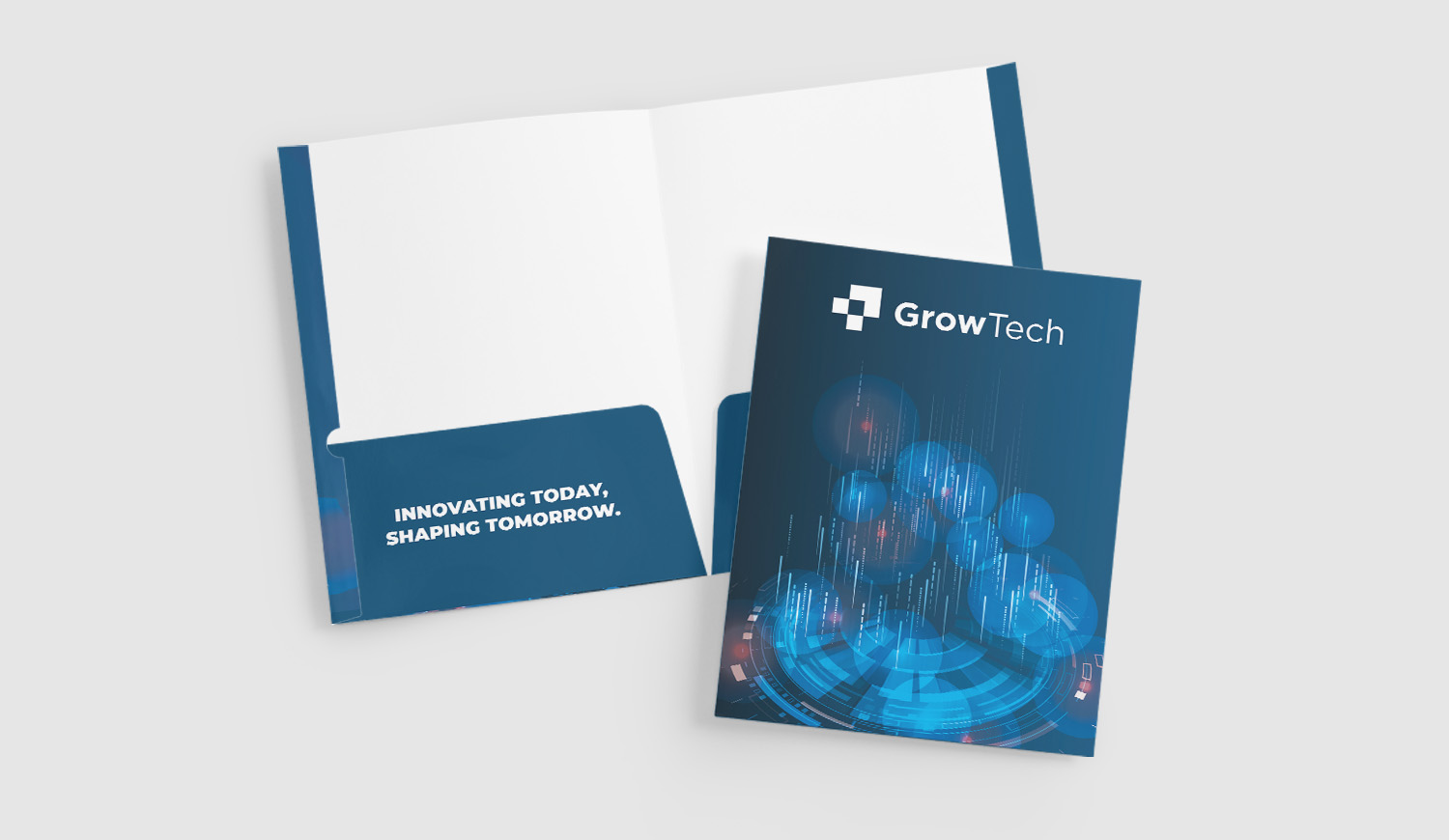
The folders also include a business card holder on the left side when opened, giving you a dedicated place to include your contact information alongside brochures, proposals, sales sheets, or presentation documents. This makes custom folders particularly useful when you need to hand over several coordinated pieces of printed material at once.
Pixartprinting folders are printed on the outside. When preparing your artwork, follow the file setup instructions carefully, especially if graphic elements extend toward folds or flaps, so the final design appears in the correct position and orientation once the folder is assembled.
Custom Folders with Logo for Consistent Branding
Custom folders with logo printing are a practical way to carry your visual identity into presentations and printed document sets. Add your company logo, brand colors, typography, contact information, or campaign graphics to create a coordinated look that matches your other marketing materials.
A branded folder can be used to package proposals, contracts, brochures, product sheets, event materials, training documents, welcome packs, or sales presentations. Instead of giving customers or partners several separate sheets, you can organize them within a single branded piece that helps reinforce your company identity throughout the presentation.
For designs that need an additional visual highlight, you can select Foil Accent when available for your chosen configuration. This metallic overlay can emphasize selected areas of the artwork, such as a logo, company name, graphic detail, or headline. The reflective effect creates contrast against the coated paper and can make key elements of your design more prominent.
Custom Folders for Business, Meetings, Events, and Sales Kits
Custom folders for business can support a wide range of day-to-day communication needs. Sales teams can use them for proposals and product sheets, HR teams can prepare onboarding or training packs, and marketing teams can organize brochures, event handouts, and promotional materials.
They can also be used for conferences, trade shows, real estate presentations, educational materials, financial documents, hospitality information packs, client meetings, and corporate events. Wherever several printed documents need to be presented together, a custom folder provides a practical way to keep the contents organized while maintaining a consistent visual identity.
Using the same custom folder design across different materials can also help create continuity between customer touchpoints. Your logo, colors, typography, imagery, and contact details can match your brochures, flyers, business cards, and other printed assets, giving your communication a coordinated appearance.
Custom Folder Design: Create Artwork That Works with the Format
A successful custom folder design should take into account both branding and the physical structure of the folder. Keep important text, logos, and contact information within the recommended safe areas, and use the available print template to position your artwork correctly.
Think about what customers will see when the folder is closed, what becomes visible when it is opened, and how the design interacts with folds, edges, and flaps. A simple corporate layout might feature your logo and brand colors on the front, with contact information or a website address on the back. For a campaign or sales presentation, you can use larger graphics, photography, messaging, or product imagery to turn the folder itself into part of the presentation.
If you choose Foil Accent, consider applying the metallic effect selectively to elements such as your logo, a headline, or a graphic detail. Using the finish as an accent rather than across the entire design can help the highlighted elements stand out more clearly.
Create Custom Folders with Pixartprinting’s Free Online Editor
If you do not already have print-ready artwork, Pixartprinting’s free online editor gives you another way to create your custom folders. Choose your folder format, upload your logo or graphics, add text and colors, and develop your layout online without needing to start with a complete professional design file.
This can be useful for businesses that need a straightforward branded folder for a presentation, event, or company document set. If you already have finished artwork, you can upload your file during the ordering process instead. Before completing your design, check the available template and file preparation instructions for your selected format, particularly where artwork interacts with folds, edges, or flaps.
How to Order Custom Printed Folders Online
Ordering custom printed folders with Pixartprinting is straightforward. Start by choosing the folder size that best suits your documents. Then select your preferred paper stock and any available finishing options. Prepare your artwork using the relevant template or create your design online, choose the quantity, and review your selected configuration before placing your order.
- Choose your size: Select 6" x 9", 9" x 12", or 9.5" x 12" Reinforced.
- Select your paper: Choose between 14pt Matte, 16pt Premium Matte, 14pt Glossy, or 16pt Premium Glossy.
- Choose your finish: Add Foil Accent when available for your selected configuration.
- Prepare your design: Upload print-ready artwork or create your folder using the online editor.
- Select your quantity: Configure the number of folders you need and complete your order online.
Custom Folder Printing Starting from 100 Copies
Pixartprinting offers folder printing starting from 100 copies, giving businesses flexibility for both focused projects and larger requirements. A 100-copy starting quantity can work well for corporate events, presentations, sales teams, conferences, small business campaigns, or an initial branded stationery run.
Larger quantities can support recurring marketing activities, multi-location teams, conferences, training programs, or ongoing sales requirements. By choosing the quantity that matches your project, you can create the folders you need for a specific campaign or maintain a consistent supply for regular business use.
Foil Accent for a Distinctive Custom Folder Finish
For custom folders that need an additional premium detail, Foil Accent can add a metallic effect to selected areas of your design. The finish is applied over the printed artwork, allowing chosen graphics or colors to take on a reflective metallic appearance.
Foil Accent can be particularly effective for highlighting logos, company names, geometric details, graphic elements, or short pieces of text. Availability may depend on the folder configuration you choose, so check the online configurator to see which combinations of format, paper, and finish are available for your order.
Printed Folders and Related Business Products
Build a coordinated set of printed business materials by combining your custom folders with complementary products:
- Custom Business Cards – Add your contact details and place your card inside the folder’s dedicated business card holder.
- Printed Flyers – Create promotional inserts for events, meetings, campaigns, or sales presentations.
- Custom Brochures – Present your products, services, or company information in greater detail.
By matching colors, typography, logos, and visual elements across these products, you can create a more consistent presentation for client meetings, events, sales kits, and corporate communications.
Order Custom Folder Printing with Pixartprinting
With multiple sizes, 14pt and 16pt matte or glossy paper options, practical internal flaps, a business card holder, optional Foil Accent, and a starting quantity of 100 copies, Pixartprinting gives you the tools to create custom folders suited to professional presentations and branded document sets.
Configure your folder printing online, upload your artwork or create a design with the free online editor, and produce branded folders that help keep your documents organized while giving your business materials a consistent, professional presentation.