
20% off on your first order: use the promocode WELCOME
QR Code Business Cards
Make every introduction count with QR code business cards. Share your website, portfolio, contact details, or social profiles with a quick scan—perfect for client meetings, trade shows, conferences, and in-store handouts.
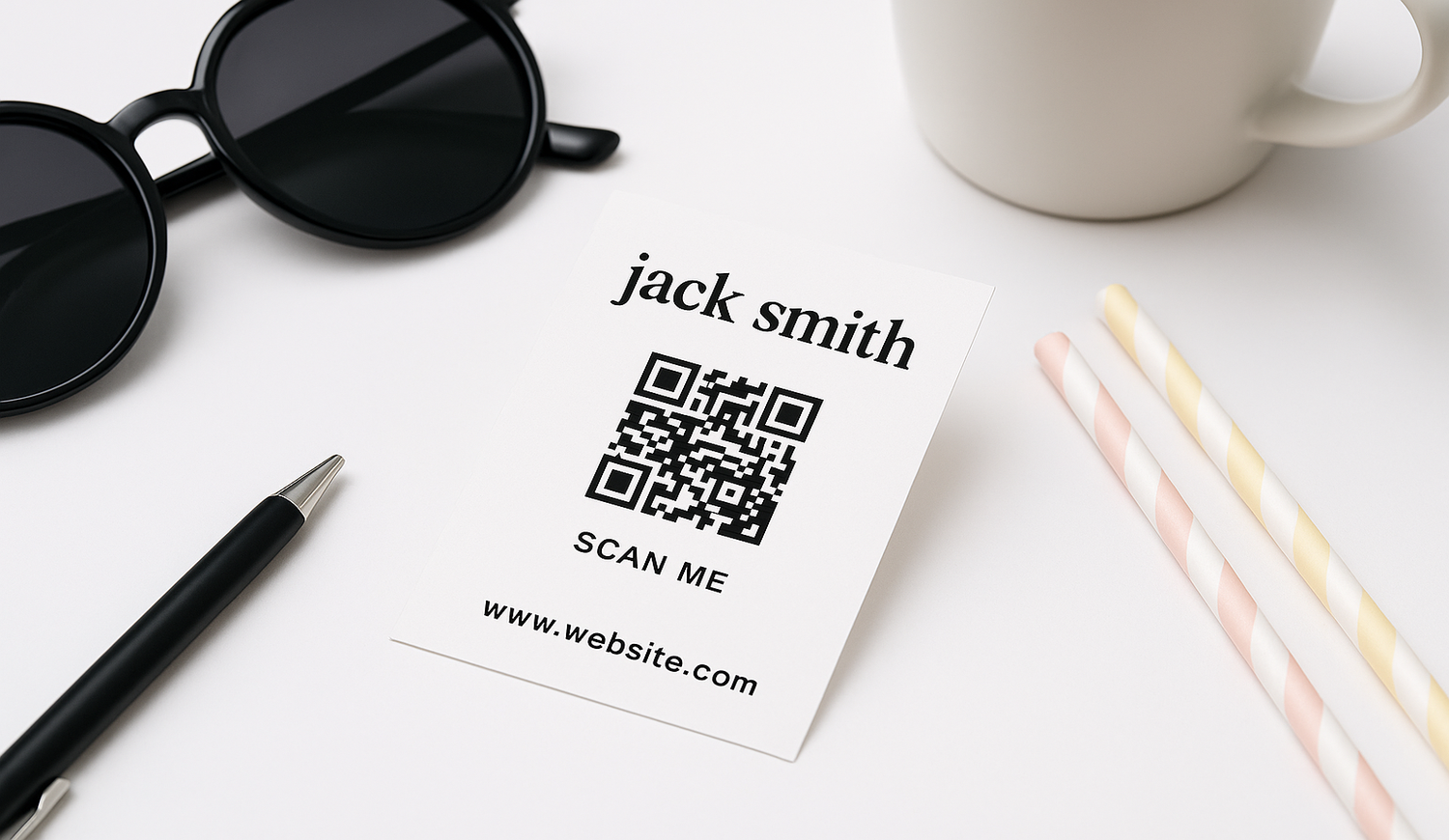
QR Code Business Cards That Make Every Introduction Count
Make it easier for customers, prospects, and business contacts to connect with you using QR code business cards. A quick scan can direct people to your website, portfolio, contact page, booking page, digital menu, social profiles, or another online destination of your choice. Ideal for client meetings, trade shows, conferences, networking events, and in-store interactions, these cards combine the convenience of a traditional business card with a direct link to your digital presence.
Custom QR Code Business Cards Designed for Your Brand
Create custom QR code business cards that match your visual identity. Add your logo, brand colors, contact information, and QR code to create a card that is both professional and practical. You can upload your own print-ready artwork or create your design online, giving you the flexibility to choose the workflow that best suits your project.
A well-designed business card with a QR code gives recipients two ways to connect with you: they can keep your printed contact details or scan the code to access additional information online. This makes QR business cards particularly useful when you want to share more content than can comfortably fit on a standard printed card.
Create QR Code Business Cards With Our Free Online Editor
Don't have a finished design? Use Pixartprinting's free online editor to create your card directly online. Customize text, fonts, colors, images, and other graphic elements, then position your QR code within the layout before ordering.
The editor also includes a QR code generator. Enter the URL you want people to visit and generate a QR code to add to your business card design. You can link to your website, portfolio, booking page, online contact information, menu, or another web page relevant to your business.
If you want more flexibility after printing, consider linking your QR code to a URL or landing page that you control. You can then update the content of that destination while keeping the printed QR code linked to the same URL.
QR Code Business Cards Printed on Premium Card Stocks
Choose from several card stocks to give your QR code business cards the look and feel that best represents your brand:
- 14pt Matte: A smooth, non-glare surface for clean and understated designs.
- 14pt Glossy: A glossy surface that gives colors and images a brighter appearance.
- 14pt Uncoated: An uncoated surface suitable for designs where a more natural paper feel is preferred.
- 16pt Premium Matte: A thicker stock with a smooth matte appearance.
- 16pt Premium Glossy: A thicker option with a glossy finish for colorful designs.
- 18pt Ultra Premium Glossy: A substantial card stock with a high-gloss surface.
- 18pt Ultra Premium Matte: A substantial card stock with a non-glare matte finish.
When designing a card with a QR code, keeping the code clear and easy to distinguish from the background can help improve scan reliability.
QR Code Business Cards in the Standard US Size
Pixartprinting's QR code business cards are available in the standard US business card size of 3.5" × 2". This familiar format is practical for wallets, business card holders, and everyday networking.
You can order from as few as 50 copies, making it suitable for individual professionals, small businesses, events, or testing a new business card design before ordering a larger quantity.
How to Design QR Code Business Cards for Easy Scanning
The visual design of your QR code matters just as much as the information behind it. Follow a few simple principles when preparing your artwork:
- Use strong contrast between the QR code and its background.
- Leave clear space around the QR code so nearby graphics or text do not interfere with it.
- Avoid making the code unnecessarily small.
- Place it in an area where it is clearly visible but does not overpower your contact information.
- Test the finished QR code with several smartphones before submitting your artwork for printing.
- Check that the destination URL is correct and working before completing your order.
These simple checks can help make your business cards with QR codes easier to use once they are in your customers' or contacts' hands.
What Can You Link to From a QR Code Business Card?
Your QR code can direct users to different types of online content depending on your goals. Consultants and freelancers can link to a portfolio or contact page, real estate professionals can direct prospects to property listings, restaurants can connect customers to digital menus, and businesses can send visitors to appointment or inquiry pages.
You can also use your card to promote a professional profile, event page, product page, or campaign landing page. If measurement is important to your marketing strategy, link the QR code to a landing page or URL configured with your preferred analytics or tracking solution.
How to Order Custom QR Code Business Cards
- Choose the quantity and card stock for your QR code business cards.
- Upload your finished artwork or open the free online editor.
- Add your contact information, branding, and other design elements.
- Generate your QR code using your chosen URL and position it within the design.
- Check the layout and test the QR code before approving your artwork.
- Complete your order and have your printed business cards shipped to your address in the US.
Explore More Custom Business Card Options
Looking for other formats or styles? Explore more Pixartprinting business card options to complement your QR code business cards: